
Airline cleaning scheduling software should convert aircraft events into coordinated work: identify the aircraft and turnaround window, generate the right cleaning task package, dispatch available crews, guide checklist execution, escalate exceptions, capture evidence, and release the aircraft back into the departure process. Custom build pays off when cleaning depends on live flight status, station-specific rules, offline ramp work, SLA proof, and integrations with airline or airport systems.
For airlines, airports, and ground handlers, cabin cleaning is not just a facilities task. It is part of turnaround control. A late crew dispatch, missing supply, unclear checklist, or undocumented exception can affect on-time performance, customer experience, and compliance evidence. The software should reflect how ramp teams actually work under time pressure.
What airline cleaning scheduling software should control
The software should control the full path from flight or aircraft event to operational release. That means turning arrival updates, aircraft type, service level, gate or stand, passenger load, delay status, and cleaning rules into a scheduled job that crews can execute and supervisors can verify before departure.
A practical workflow looks like this:
- Flight or aircraft event received: The system receives an arrival, departure, aircraft swap, delay, gate change, maintenance hold, or ad hoc service request.
- Task package generated: Cleaning tasks are created based on aircraft type, route, turnaround time, cleaning level, cabin zones, lavatory service, waste handling, seatback checks, galley restocking, incident reports, and local station rules.
- Crew dispatched: The scheduler assigns crews based on availability, skills, location, security clearance, shift rules, workload, and proximity to the aircraft.
- Mobile checklist executed: Ramp or cabin cleaning teams receive step-by-step checklists, timers, aircraft details, zone assignments, and instructions.
- Exceptions escalated: Missing supplies, blocked access, passenger left items, biohazard issues, broken equipment, or maintenance dependencies are reported with photos, notes, and reason codes.
- Quality control completed: A lead or supervisor performs sampling, full inspection, or exception-based review depending on the service level.
- Release recorded: The system records completion, exceptions, sign-off, timestamps, crew IDs, and evidence for SLA and audit purposes.
- Performance analyzed: Operations leaders review delays, exception patterns, crew utilization, station performance, and cleaning quality trends.
This end-to-end control is where custom airline and aviation software development differs from a generic scheduling tool. The schedule must move with the aircraft, not with a static calendar.
Features that matter in aircraft cleaning operations
The most useful features are those that reduce coordination gaps during turnaround. Airline cleaning scheduling software should manage live aircraft status, crew dispatch, mobile checklists, exception handling, proof of completion, supply readiness, SLA timers, and quality review. Each feature needs the right data source, not just a better screen.
| Feature | Operational problem it solves | Data or integration needed |
|---|---|---|
| Event-driven job creation | Cleaning jobs must follow arrivals, aircraft swaps, gate changes, and delays | Flight schedule, AODB, turnaround milestones, aircraft assignment |
| Aircraft-specific task templates | Different aircraft types and service levels require different checklists | Fleet data, cabin configuration, service standards, route type |
| Crew availability and dispatch | Crews need to be assigned based on time, location, skills, and workload | Rosters, shift rules, staff skills, location, security clearance |
| Mobile checklists | Teams need clear task order, zone ownership, and evidence capture | Mobile app, checklist library, aircraft and job data |
| Offline mode | Ramp work often continues with poor connectivity | Local storage, sync rules, conflict handling |
| SLA timers and alerts | Supervisors need early warning before cleaning affects departure | Flight milestones, planned versus actual times, escalation rules |
| Exception reporting | Issues must be visible before they become departure delays | Photo capture, reason codes, messaging, maintenance or supervisor routing |
| Inventory and consumables tracking | Missing supplies can stop or degrade service | Stock levels, carts, storage locations, replenishment rules |
| Supervisor release | The aircraft needs a traceable cleaning completion record | Sign-off workflow, timestamps, crew IDs, checklist results |
| Analytics and KPI dashboards | Leaders need to see patterns by station, aircraft, crew, and service type | Operational data warehouse, BI, historical cleaning records |
The feature set should be scoped around operational bottlenecks. If the main issue is dispatch visibility, start with flight-event integration and crew assignment. If the issue is audit exposure, start with checklist evidence, timestamping, and supervisor release. If the issue is inconsistent quality, prioritize task templates, QC sampling, and corrective action workflows.
Integrations and data model
Integrations determine whether the schedule reflects the operation or becomes another manual system. At minimum, cleaning software should connect to flight schedules, aircraft assignments, airport operational data, crew rosters, messaging, inventory, and reporting. More mature deployments also use turnaround milestones, maintenance status, and A-CDM events where available.
Useful integration targets include:
- Flight schedule and aircraft assignment: Arrival and departure times, tail number, aircraft type, route, gate, stand, delay reason, and rotation.
- AODB and airport systems: Gate changes, stand allocation, airport events, operational constraints, and real-time updates.
- A-CDM or turnaround milestone data: For airports using Airport Collaborative Decision Making, milestone data can improve pre-departure predictability and coordination. The EUROCONTROL A-CDM specification is useful context, although it is not cleaning-software-specific.
- Maintenance systems: Holds, defects, cabin issues, restricted access, and task dependencies.
- Crew roster and HR systems: Shifts, qualifications, absence, overtime rules, location, and team structure.
- Inventory systems: Cleaning supplies, carts, consumables, PPE, waste handling, and replenishment.
- Messaging and notifications: Supervisor alerts, crew dispatch, exception routing, and operational control center updates.
- BI and performance analytics: SLA performance, turnaround impact, crew productivity, quality scores, exception trends, and station comparison.
The data model should be explicit. Core entities usually include Flight, Aircraft, Gate or Stand, Turnaround Event, Cleaning Job, Task Package, Checklist Item, Crew Member, Crew Assignment, Exception, Supply Item, Photo Evidence, Supervisor Sign-Off, SLA Timer, and Release Record.
For reliability, use APIs, event streams, webhooks, and offline sync patterns where appropriate. Avoid hidden spreadsheet dependencies for live operations. They break under aircraft swaps, delays, and multi-station complexity.
Mobile and offline workflows for ramp teams
Mobile workflow is where scheduling becomes execution. Ramp teams need a fast tablet or phone interface that works around aircraft noise, gloves, movement, poor connectivity, time pressure, and changing instructions. Offline job creation, checklist progress, exception logging, and later sync are often mandatory, not optional.
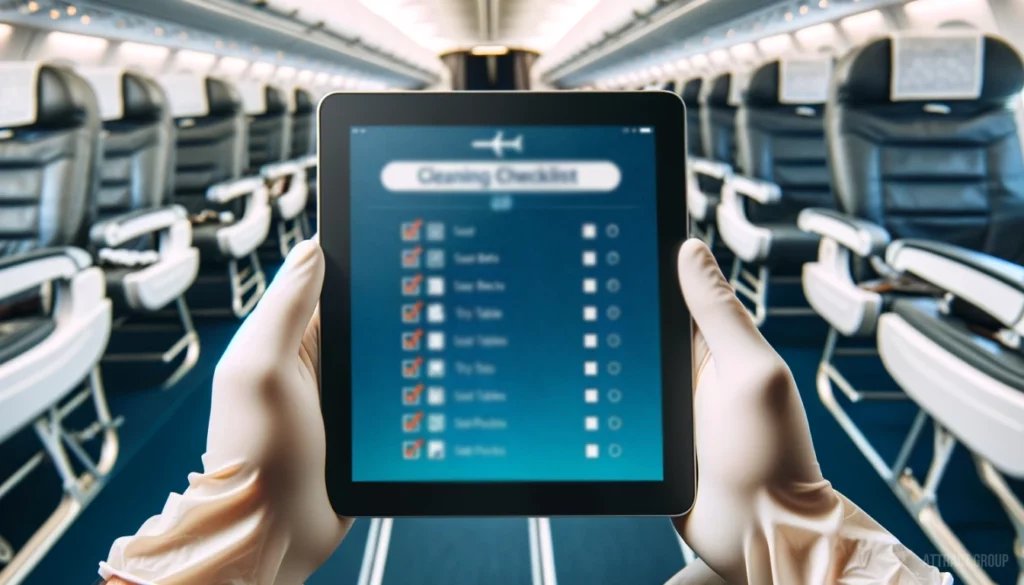
A useful mobile workflow should include:
- Assigned job list by aircraft, gate, time, and priority.
- Aircraft type, tail number, zone, and service level on the job screen.
- Step-by-step cabin, lavatory, galley, waste, and restocking checklists.
- Zone-based assignment for large aircraft or split crews.
- Timers for planned start, actual start, hold, pause, completion, and release.
- Photo and note capture for exceptions or proof of completion.
- Offline creation, editing, starting, workflow logging, and sync.
- Supervisor messages and escalation prompts.
- Digital sign-off with crew, lead, and timestamp records.
- Conflict handling when two devices update the same job while offline.
This is not theoretical. In an adjacent ramp workflow, Attract Group built an aircraft de-icing tablet app for Vestergaard with guided job workflows, unit data and health, zone and temperature handling, job lists and history, offline job creation and editing, workflow logging, and traceable operational records. Aircraft cleaning has different tasks, but it shares the same mobile constraints: time-sensitive ramp execution, offline continuity, and audit-ready records.
If the cleaning operation depends on tablets, phones, or rugged devices, plan the product with aviation-aware mobile development rather than treating mobile as a smaller version of the desktop scheduler.
Compliance, audit trail, and quality control
The compliance value comes from consistent execution and reliable evidence. Airline cleaning scheduling software should prove what was required, who performed it, when it happened, which exceptions occurred, how they were resolved, and who released the aircraft. Quality control should be built into the workflow, not reconstructed after a complaint.
The IATA ground operations safety resources point to industry tools such as the IATA Ground Operations Manual and IATA Safety Audit for Ground Operations. Cleaning scheduling software does not replace these programs, but it can help teams enforce procedures, capture evidence, and make audit preparation less manual.
Audit-ready records should include:
- Aircraft, tail number, flight, gate or stand, route, and station.
- Cleaning service level and checklist version used.
- Crew assignment, start time, hold time, completion time, and release time.
- Completed, skipped, failed, or not-applicable checklist items.
- Photos, notes, and reason codes for exceptions.
- Supervisor inspection result and sign-off.
- Supply shortages, equipment issues, access blocks, or maintenance dependencies.
- Manual overrides and reason codes.
- Synchronization history for offline records.
- Corrective actions and follow-up status.
Quality control can use several patterns: full inspection for high-risk cases, random sampling by station, exception-based inspection, aircraft-type-specific audits, customer complaint linkage, or trend-based coaching. The system should make quality visible without overloading supervisors with low-value checks.
For compliance-heavy aviation workflows, Attract Group also builds and runs Nimbl by AviationManuals, a web and mobile aviation compliance platform covering manuals, risk assessments, LOA workflows, and safety-management tooling. The platform context includes 55,000+ flights reviewed yearly, 4,700+ operators, and 6,000+ manuals or documents per year, with workflows the client describes as moving from hours to minutes. The lesson for cleaning software is straightforward: regulated aviation work needs structured records, workflow ownership, and mobile access.
Build vs buy and cost/timeline planning
Buy a standard tool when the need is basic scheduling with limited aviation integration. Build custom airline cleaning scheduling software when turnaround constraints, flight-event changes, offline mobile work, station-specific rules, SLA evidence, compliance records, and system integrations determine operational value. The more exceptions matter, the stronger the case for custom.
A buy-versus-build decision should be made around fit, not preference.
| Decision factor | Off-the-shelf tool may fit when | Custom build is stronger when |
|---|---|---|
| Operational complexity | Cleaning jobs follow predictable shifts and simple task lists | Jobs depend on flight events, aircraft swaps, gates, delays, and service levels |
| Integration needs | Manual import or basic CSV export is acceptable | AODB, flight schedule, rosters, maintenance, inventory, messaging, and BI must connect |
| Mobile execution | Crews can work online with simple checklists | Crews need offline job work, photo evidence, zone logic, and sync |
| Compliance records | Basic completion logs are enough | Audit trail, checklist versioning, exception evidence, and release records are required |
| Station variation | One process fits all locations | Each station has different staffing, facilities, aircraft mix, and local rules |
| Scaling | One airport or a small operation | Multi-station rollout, shared reporting, and enterprise governance are required |
Typical planning ranges:
| Stage | Time range | Expected output |
|---|---|---|
| Discovery and business analysis | 2-4 weeks | Workflow map, integration plan, data model, backlog, pilot scope, KPI baseline |
| Prototype | 4-6 weeks | Clickable workflow or limited working model for dispatch, checklist, or integration validation |
| Pilot MVP | 10-16 weeks | Live use at one station or process area with mobile workflow, scheduling, and reporting |
| Production and multi-station rollout | 4-9 months | Hardened integrations, offline sync, audit controls, training, support, analytics, and rollout playbook |
Cost depends on integration depth, offline requirements, number of user roles, checklist complexity, reporting needs, station rollout, and compliance controls. Do not budget only for development. Include discovery, change management, training, device management, support, integration maintenance, and KPI review.
For scoped planning, start with business analysis services to map the operational process before writing code. If custom build is justified, use custom software development services to align architecture, integrations, mobile execution, and support model.
Boost turnaround efficiency
Our experts can develop custom scheduling software to optimize aircraft maintenance and ground operations.
Implementation roadmap
Implementation should start with one station, one aircraft family, or one cleaning process where the pain is measurable. The safest roadmap validates live data, mobile execution, exception handling, and supervisor release before scaling. Multi-station rollout should follow proven workflows, training materials, support processes, and KPI review.
| Phase | Goal | Main outputs | Risks to manage |
|---|---|---|---|
| 1. Discovery | Understand the current operation and define scope | Process maps, pain points, integration inventory, user roles, KPI baseline, pilot plan | Hidden manual workarounds, unclear ownership, overbroad first release |
| 2. Data and integration design | Confirm how live events and records will move | API plan, event model, data mapping, offline sync rules, security model | Incomplete source data, latency, duplicate records, poor master data |
| 3. Pilot build | Create a usable workflow for one station or process | Dispatcher view, mobile checklist, exception reporting, supervisor release, basic analytics | Scope creep, insufficient device testing, weak change management |
| 4. Live pilot | Test the system under real turnaround pressure | Trained users, live job records, support process, issue backlog, KPI comparison | Connectivity gaps, resistance from crews, missing exception categories |
| 5. Production hardening | Prepare for wider operational use | Monitoring, audit logs, role permissions, integration resilience, reporting, documentation | Security gaps, support overload, integration failures |
| 6. Rollout | Expand by station, aircraft type, or handler | Training materials, configuration templates, rollout schedule, KPI reviews | Local process variation, inconsistent adoption, unclear escalation |
| 7. Continuous improvement | Use data to improve performance | SLA dashboards, exception trends, quality scores, checklist updates, coaching loops | Data ignored after launch, no owner for process improvement |
The first release should be narrow enough to go live quickly but not so narrow that it avoids the real operational risk. If offline ramp work, aircraft swaps, or supervisor release are central to the problem, include them in the pilot.
FAQ
The questions to settle are whether the software can follow live turnaround changes, support ramp teams offline, integrate with operational systems, and produce trusted records. If it cannot do those things, it may still be useful for planning, but it will not control aircraft cleaning execution well.
Is airline cleaning scheduling software the same as maintenance scheduling software?
No. Maintenance scheduling focuses on technical aircraft maintenance tasks, defects, checks, and regulatory maintenance records. Cleaning scheduling focuses on cabin readiness, crew dispatch, cleaning levels, checklists, supplies, quality inspection, exceptions, and release evidence within the turnaround window. The systems may need to exchange data.
Which integrations are most important?
Flight schedule, aircraft assignment, gate or stand data, crew rosters, messaging, and reporting are usually the minimum. Larger operations may also need AODB, A-CDM milestones, maintenance status, inventory, identity management, and enterprise BI.
Do cleaning crews really need offline mode?
Often, yes. Ramp and cabin teams may work with weak connectivity, device handoffs, aircraft shielding, or restricted areas. Offline mode protects execution continuity and preserves timestamps, checklist progress, photos, notes, and sign-offs until the device can sync.
How does the system prove SLA compliance?
It should record planned and actual times, crew assignment, checklist completion, exceptions, supervisor sign-off, photos where required, and release status. Good SLA reporting separates cleaning-caused delays from holds caused by late arrival, gate access, maintenance, boarding, or supply issues.
When is custom development worth it?
Custom development is worth it when the cleaning process depends on live aviation data, station-specific workflows, mobile offline execution, compliance evidence, integrations, and measurable turnaround impact. If the requirement is only shift planning and simple task lists, a standard scheduling product may be enough.