
Bespoke IT services are worth considering when your team has already bent SaaS tools around a workflow, copied data between systems, or accepted reporting gaps because the standard product cannot model how the business actually runs. The decision is commercial first: will custom delivery remove recurring friction, reduce manual work, protect margins, or support growth better than another license stack?
If the answer is no, buy the tool and keep the business moving. If the answer is yes, you need a sharper comparison than "custom is expensive" versus "SaaS is fast." The better question is where the business loses money, time, control, or data quality today, and whether a tailored system can remove that loss with acceptable risk.
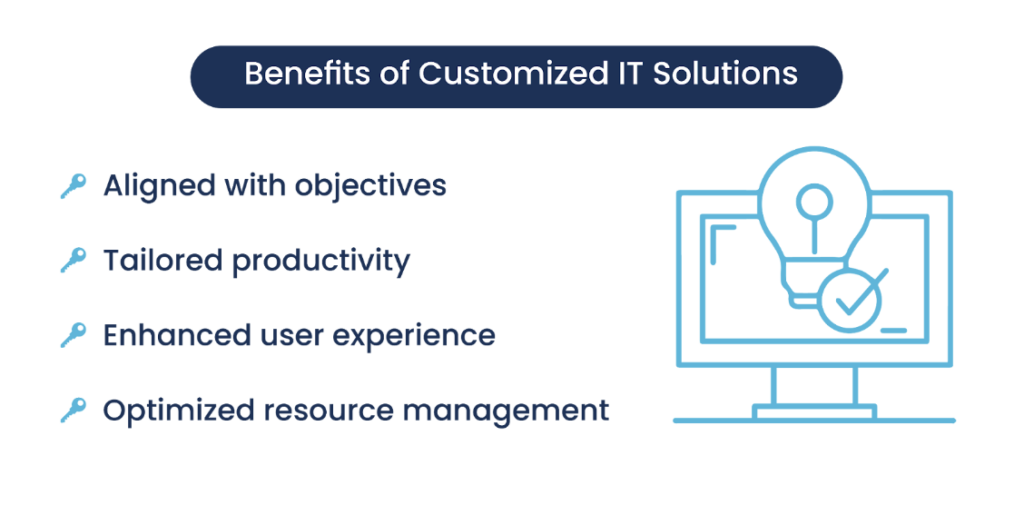
What bespoke IT services include
They include the planning, design, engineering, integration, deployment, and support needed to create software or IT workflows around your company's operating model. In practice, that can mean a new product, a private internal system, a tailored CRM, a data layer, or integration work around existing platforms.
The work usually starts before code. A senior team will map the process, users, permissions, data sources, reporting needs, and operational constraints. That is where business analysis matters. Without it, custom development becomes a feature list rather than a business system.
Typical delivery can include:
- Process discovery and requirements mapping
- Product and UX design for internal or customer-facing users
- Bespoke software development for web, mobile, back-office, or workflow tools
- Custom software development for systems that need a dedicated architecture
- API integrations with CRMs, ERPs, payment systems, telephony, email, maps, analytics, or legacy tools
- Data migration, cleanup, and reporting setup
- Cloud, on-premises, or hybrid deployment
- Role-based access, audit trails, and security controls
- Ongoing maintenance and support after launch
A bespoke engagement can also sit around a platform you already use. For example, a company may keep HubSpot, Salesforce, Jira, or an ERP as the base, then build a custom quoting engine, approval workflow, analytics layer, or client portal around it. That route can be faster than replacing the whole stack.
The main point: bespoke delivery is not a synonym for "build everything from scratch." It means the solution is designed around the way your business needs to operate.
When custom software beats off-the-shelf tools
Custom software is the better option when the workflow itself creates advantage, when a packaged tool forces expensive workarounds, or when data, security, and integration needs exceed what SaaS can handle. If the process is common and the tool fits with minor setup, buy the product and move on.
Bespoke IT services should be on the table when one or more of these patterns appears:
- Staff re-enter the same data in several systems.
- Managers make decisions from spreadsheets because reporting is weak.
- A standard CRM cannot model your sales, routing, billing, or approval flow.
- Licensing costs rise while operational gaps remain.
- Security or data ownership requires on-premises or private infrastructure.
- The company needs role-based workflows that differ by team, location, or client.
- Your process changes often, and vendor roadmaps do not move with it.
Attract Group's Jira-like CRM/ERP project is a good internal-operations example. The team built an on-premises corporate system covering reporting, vacations, role-based workload allocation, analytics, project tasks, Slack/email chatbot notifications, and Excel export. The project lists a 9 month development time and a $50,000-$100,000 budget range. It also states up to a 75% reduction in developer idle time. Treat that result as project-specific, but the pattern is clear: custom work was justified because the system managed how people, workload, reporting, and internal operations connected.
Movewheels CRM is a different case. Attract Group delivered a logistics CRM for a car shipping company that centralizes leads, telephony, email, quoting, payments, route-aware operations, and manager performance. The project lists a 3-5 month delivery time and a $20,000-$50,000 budget range. A generic CRM could store contacts. The custom case came from the need to connect sales activity with shipping operations, payments, and route-aware quoting in one workflow.
That is usually where custom wins: when the software has to carry the operating model, rather than store a few records.
How to compare build, buy, and customization options
Use a simple rule: buy when the process is standard, customize when an existing platform covers most of the model, and build when the gaps are structural. The wrong choice usually appears later as manual reconciliation, duplicate data, slow reporting, or a system that cannot change without vendor constraints.
| Option | Best fit | Watch for | Typical decision |
|---|---|---|---|
| Buy SaaS | Standard workflows such as basic CRM, accounting, HR, support, email marketing, or task tracking | Feature gaps that force spreadsheets, manual approvals, or duplicate tools | Choose this when setup covers 80-90% of the workflow without heavy changes |
| Customize a platform | A known platform fits the core process, but needs custom fields, workflows, dashboards, or integrations | Customization that becomes fragile after vendor updates or plugin changes | Choose this when the platform remains the main system of record |
| Build custom software | The workflow, data model, permissions, integrations, or reporting logic is specific to the business | Scope creep, weak product ownership, unclear ROI, and underplanned support | Choose this when the process is central to margin, speed, compliance, or service quality |
| Hybrid approach | SaaS tools handle standard functions while custom modules cover unique work | Poor API limits, inconsistent data ownership, and unclear responsibility between vendors | Choose this when full replacement would create more risk than staged integration |
The table works best in a workshop with finance, operations, product, and engineering in the same room. Ask each team to name the cost of the current workaround. That cost may be staff hours, missed revenue, delayed reporting, support tickets, compliance exposure, or the inability to launch a new service.
If the answer is still unclear, IT consulting can help compare options without committing to a full build. A short technical assessment can test API limits, data structure, security needs, hosting options, and integration effort before a larger budget is approved.
Budget, timeline, and risk planning
Bespoke software cost depends on scope, team size, integration depth, security needs, data migration, quality assurance, and support expectations. A narrow workflow tool can be delivered in months; a broad operational system needs staged releases, budget reserves, and strong ownership from the business, product, and technical sides.
The cost drivers are usually practical:
- Scope: number of user roles, screens, workflows, edge cases, and admin tools.
- Integrations: APIs, payment systems, telephony, email, ERP, CRM, maps, analytics, or legacy databases.
- Data migration: cleanup, mapping, import scripts, validation, and rollback planning.
- Security: permissions, audit logs, encryption, private hosting, or on-premises deployment.
- Quality assurance: test coverage, performance testing, device coverage, and regression testing.
- Reporting: dashboards, exports, analytics, and data pipelines.
- Support model: response times, monitoring, bug fixing, updates, and release management.
The case examples show why cost ranges differ. Movewheels CRM had a 3-5 month delivery window and a $20,000-$50,000 range because the scope centered on a logistics CRM with defined operational flows. The Jira-like CRM/ERP was broader, on-premises, and tied to internal workload allocation, reporting, notifications, analytics, and project tasks, so the listed range was 9 months and $50,000-$100,000.
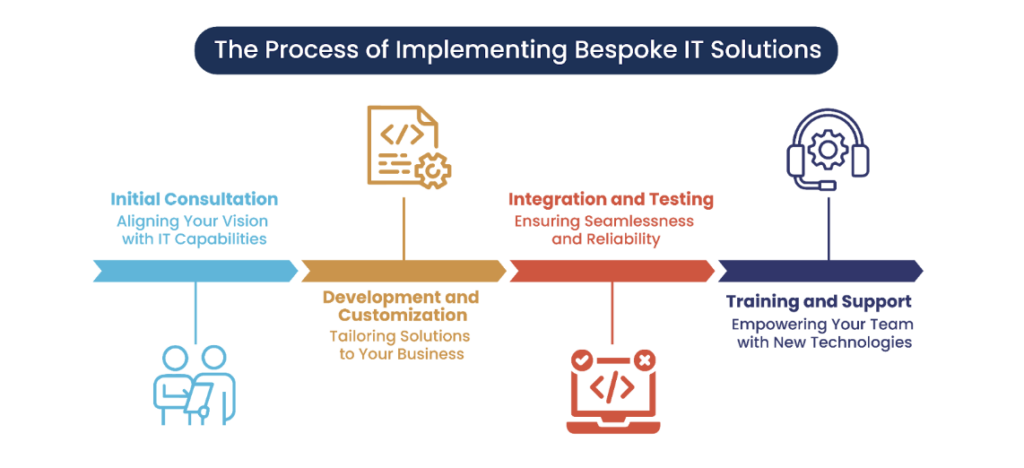
Plan the timeline around releases, not a single "big finish." A sensible path often looks like this:
- Discovery and requirements mapping
- UX flows and architecture decisions
- MVP development for the main workflow
- Integration and data migration work
- Pilot with a limited user group
- Feedback, fixes, and reporting improvements
- Full rollout and support handover
Risk planning should be just as concrete. Name the product owner. Decide who approves scope changes. Define which metrics will prove success. Confirm who owns data after launch. Agree on what happens if a third-party API changes. A clear service-level agreement should state response times, support hours, escalation paths, and what is included in routine maintenance.
How to choose an IT service provider
Need a custom software plan?
We can map your workflow, data, integrations, and delivery phases before you commit to a bespoke build.
Choose the provider that can translate operations into software decisions and explain how each feature changes cost, risk, and adoption. A strong partner will challenge assumptions, map dependencies, define delivery phases, explain trade-offs, and take support seriously before writing code, because vendor fit affects cost as much as engineering skill.
For IT service provider selection, use questions that reveal how the team thinks. Sales decks are easy. The working method matters more.
| Evaluation area | What to ask | Healthy signal | Risk signal |
|---|---|---|---|
| Discovery | How will you map our workflows before development starts? | They discuss interviews, process maps, user roles, data flows, and acceptance criteria | They ask for a feature list and move straight to estimation |
| Architecture | How will you choose the system architecture? | They explain hosting, scalability, security, integrations, and future change | They present one default stack for every project |
| Integrations | How will you handle API limits, failures, and data sync issues? | They plan retries, logs, monitoring, and fallback behavior | They treat integrations as simple connections |
| Budget control | How do you prevent scope creep? | They use phased delivery, change control, and business priorities | They estimate everything as one fixed block with vague assumptions |
| Delivery process | What will we see every week or sprint? | They provide demos, backlog status, risk notes, and decision requests | They send progress updates without working software |
| Ownership | Who owns source code, documentation, and deployment access? | Ownership terms are clear before the contract is signed | Access and IP terms are left for later |
| Support | What happens after launch? | They define monitoring, fixes, updates, and support channels | They treat launch as the end of responsibility |
The right partner should also understand the operational domain enough to ask specific questions. For the on-premises CRM/ERP project, that meant asking about workload allocation, internal roles, reporting, notifications, and exports. For Movewheels CRM, it meant connecting lead intake, telephony, email, quoting, payments, route-aware operations, and manager performance.
Those are different systems with different risks. A vendor that treats both as "CRM development" without the operational detail will miss the point.
Custom software discovery consultation: If you need a grounded build-versus-buy view, use a custom software discovery consultation to map workflow gaps, integration needs, budget ranges, and delivery risk before approving a full project.

Implementation risks to control after launch
Once you decide to build, control risk through small releases, clear ownership, observable metrics, and a support plan from day one. The first version should prove the workflow, integration path, and adoption model before the team spends months on edge cases that may never affect daily operations.
The launch plan should cover people as much as software. Internal tools fail when users do not trust the data, managers keep old spreadsheets alive, or teams receive a finished system without training. Plan adoption early. Pick pilot users who understand the workflow and will give direct feedback. Use their input to remove friction before a wider rollout.
For systems that affect several departments, treat the work as part of digital transformation, not only as a software project. The change may touch reporting, accountability, handoffs, customer service, finance, and management habits. That requires clear communication and staged adoption.
Track a few operational metrics after launch:
- Time saved per workflow
- Manual steps removed
- Data errors reduced
- Report preparation time
- User adoption by role
- Support requests by module
- Revenue, margin, or throughput impact where measurable
Bespoke IT services make the most sense when these metrics connect to business outcomes. If the system only recreates a standard product with minor preferences, SaaS will usually be safer. If it removes operational drag that standard tools keep creating, custom delivery can become the cleaner long-term choice.