
SAP Business One alternatives are worth comparing when your team is paying for workarounds, manual reporting, or integrations that no longer support the way the company operates. A full migration isn't always the safest move. Many SMB and mid-market teams get a better risk profile by extending SAP Business One or building targeted ERP modules around it.
When SAP Business One still fits
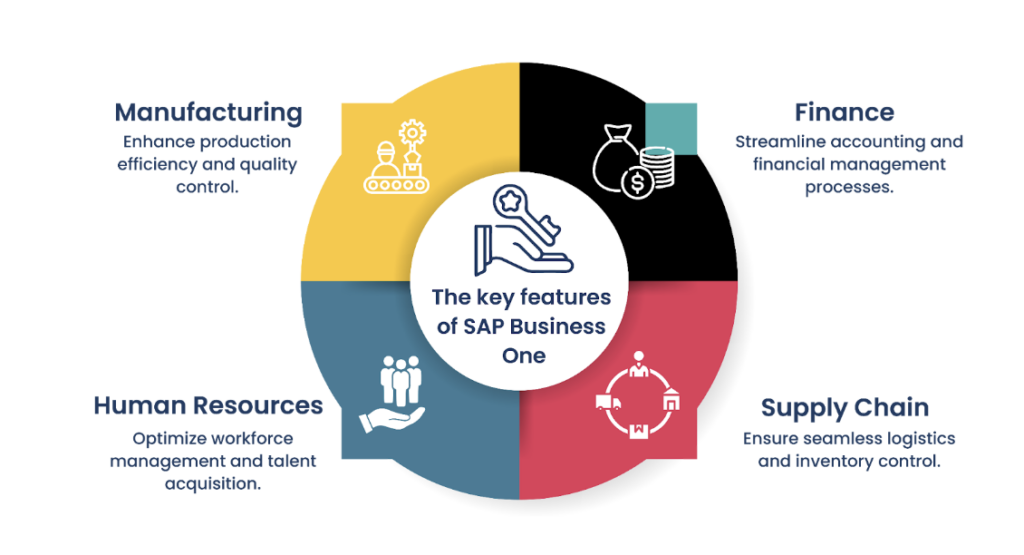
SAP Business One still fits when your finance, purchasing, inventory, sales, and production processes are reasonably stable and the current add-on model is manageable. If users trust the data, month-end close works, and reporting gaps are narrow, extension may beat a risky replacement.
SAP positions SAP Business One for small and midsize businesses. That matters because some organizations outgrow the product only after their operating model becomes more complex than the original implementation assumed. Before replacing it, separate product limits from old configuration, poor master data, underused functionality, and weak process ownership.
SAP’s Business One maintenance page states that SAP Business One 10.0 began in April 2020 and that regular feature packages deliver continuous innovation, with users directed to the product roadmap for future direction. In practical terms, buyers should review current product direction, partner support, and add-on dependency before deciding that replacement is required.
SAP Business One may still be the right base if:
- Finance trusts the chart of accounts, reporting structure, and close process.
- Inventory, item master, and warehouse transactions are clean enough to run operations.
- Current add-ons have clear owners, documentation, and support paths.
- Reporting gaps are limited and can be solved through BI, data warehouse, or custom reports.
- Users can complete daily work without maintaining shadow spreadsheets.
- Integrations are stable and do not require constant manual repair.
- The business does not need a major shift in deployment, process model, or global structure.
When to look at alternatives
Look at SAP Business One alternatives when workarounds become permanent controls, reporting takes too long, integration queues block operations, or the business has outgrown the deployment model. A switch is worth studying when change requests keep funding the same gaps without fixing process ownership.
The trigger for change is rarely one missing feature. It is usually the accumulation of operational drag: slow close cycles, manual order handling, disconnected ecommerce, weak warehouse visibility, fragile add-ons, duplicate master data, or reporting that depends on one power user.
| Signal | What it means | What to test before replacing |
|---|---|---|
| Month-end reporting requires heavy spreadsheet work | The ERP may not reflect how finance and operations manage the business | Can reporting be fixed through data cleanup, BI, or chart redesign? |
| Add-ons control core workflows | Business logic may be spread across vendors and custom code | Which add-ons are still needed, and who owns support? |
| Integrations break often | APIs, middleware, data mapping, or ownership may be weak | Would a cleaner integration layer solve the issue? |
| Warehouse users bypass the system | Screens or process design may not fit shop-floor reality | Can mobile workflows or WMS integration solve adoption? |
| Management cannot trust operational KPIs | Data definitions may differ across teams | Can a data model and governance project fix reporting? |
| New entities, sites, or regions are hard to onboard | The system design may not scale with the operating model | Is the issue product fit, implementation design, or internal process variation? |
| Web access is a major adoption need | Current UX may limit remote, role-based, or browser-based work | Validate exact coverage against SAP documentation and your own workflows |
SAP’s Help Portal documents the SAP Business One Web Client. Treat web-client modernization as a fit item to verify in your own environment, not as an assumption that every desktop workflow has full parity for your use case.
Comparison table of SAP Business One alternatives
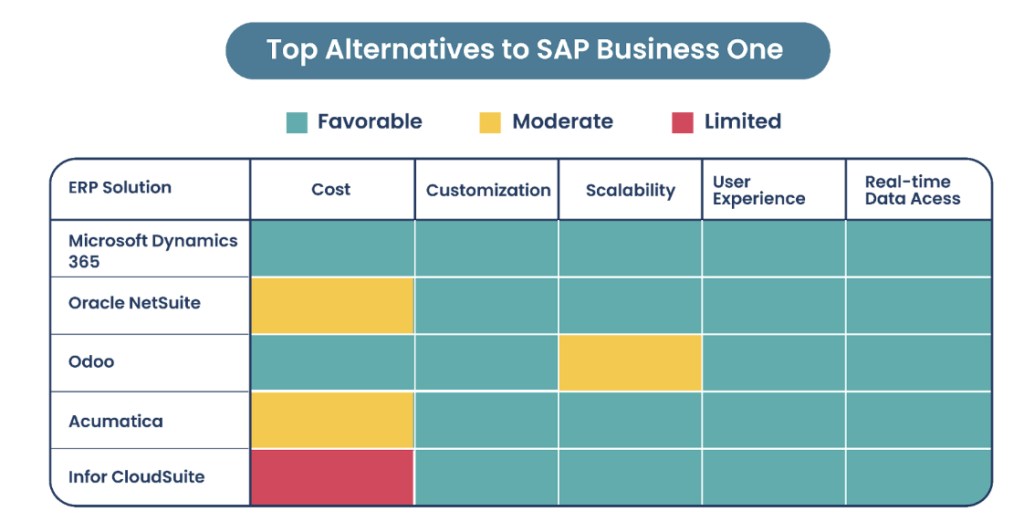
The right alternative depends on the operating model, not brand preference. NetSuite, Dynamics 365 Business Central, Odoo, Acumatica, Infor, and a custom ERP module strategy can all be valid choices, but each shifts risk across cost control, process fit, reporting, migration, and internal ownership.
Use this table to frame the shortlist before product demos. It is meant to compare fit, not rank vendors.
| Option | Good fit when | Tradeoffs to test | Consider another route when |
|---|---|---|---|
| Oracle NetSuite | You want a cloud ERP suite with strong finance, multi-entity control, and broad operational coverage | Implementation partner quality, process fit, reporting model, integration cost, data migration complexity | Your operating workflows need deep plant-floor customization that would become heavy scripting |
| Microsoft Dynamics 365 Business Central | Your company already uses Microsoft tools and wants ERP close to the Microsoft ecosystem | Manufacturing or industry depth, add-on dependency, partner capability, Power Platform governance | Your needs exceed Business Central fit and push you toward many third-party extensions |
| Odoo | You want a modular system with broad app coverage and high flexibility | App quality, version control, customization governance, partner maturity, support model | You need strict enterprise governance from day one and cannot manage module ownership |
| Acumatica | You want cloud ERP for distribution, project, service, or manufacturing-style operations | Industry fit, reporting depth, integration design, implementation partner experience | Your workflows require a larger enterprise suite or highly specialized vertical functionality |
| Infor CloudSuite | You need deeper industry ERP capabilities for manufacturing, distribution, or complex operations | Suite selection, implementation complexity, change management load, internal readiness | Your organization needs a leaner SMB system with faster process simplification |
| Custom ERP module strategy | SAP Business One still works for finance, but reporting, workflow, integration, or role-based operations need a better layer | Long-term ownership, support model, API limits, security, release governance | Core finance, inventory, or compliance records are unreliable and require full ERP replacement |
If custom work is part of the option set, define whether you are improving SAP Business One, integrating around it, or creating a new system of record. Attract Group’s ERP software development services can support that assessment when the shortlist includes packaged ERP and custom modules.
Switch, extend, or build custom decision matrix
Decide between switching, extending, and building by mapping pain to ownership. If the current platform supports the process but needs cleaner UX or reporting, extend it. If the process is strategically distinct or cross-system, custom modules may reduce disruption. If core finance or inventory no longer fits, compare replacements.
A migration is expensive when the real problem is reporting, training, or integration ownership. Extension is expensive when the real problem is a core system that no longer supports the business. Use a decision record so every executive can see why one path was chosen.
| Decision | Use when | Main risks | First proof |
|---|---|---|---|
| Stay and optimize SAP Business One | The system is stable, but setup, data, reports, or training are weak | Underestimating process debt; fixing symptoms instead of ownership | Fit-gap review, report inventory, master data audit |
| Extend SAP Business One | Core ERP works, but users need better dashboards, approvals, portals, mobile workflows, or integrations | API limits, add-on conflicts, unclear support duties | Prototype one workflow using real data |
| Switch to another ERP | Core finance, inventory, production, or reporting no longer fits the business | Migration cost, change resistance, add-on replacement, cutover failure | Process demo with real scenarios and migrated sample data |
| Build custom ERP modules | Differentiated workflow crosses systems or cannot be supported well by standard ERP | Product ownership, maintenance, security, regression testing | MVP scope, integration map, support model |
| Hybrid approach | You need a new ERP in some areas and custom modules in others | Scope creep, unclear system-of-record rules | Architecture decision record and phased roadmap |
For many teams, the strongest decision comes after comparing configuration, customization, and replacement side by side. Attract Group’s guide to ERP system configuration vs customization is a useful starting point for that discussion.
Tailored ERP Solutions for Your Business
Our experienced team can help architect and develop a fully customized ERP system tailored to your specific business needs and processes.
Migration risks and data preparation
ERP migration risk usually sits in data meaning, process exceptions, and reporting dependence. Before selecting a replacement, clean master records, map open transactions, document custom fields, inventory every add-on, and decide which history must move. Migration planning should start before contract signature.
The most common mistake is treating migration as a technical export-import task. In practice, SAP Business One replacement requires business decisions about data ownership, retention, reporting continuity, and cutover timing.
| Migration area | Risk | Preparation step |
|---|---|---|
| Master data | Duplicate customers, vendors, items, accounts, warehouses, and units of measure move into the new ERP | Clean and approve master records before migration |
| Open transactions | Purchase orders, sales orders, invoices, inventory moves, and production orders lose status context | Define cutover rules for open, closed, canceled, and partially fulfilled transactions |
| Custom fields | Business logic hidden in user-defined fields fails to map cleanly | Document every custom field, owner, purpose, and target mapping |
| Add-ons | Old add-ons contain workflow logic that the new ERP does not replicate | Build an add-on inventory with replacement, retirement, or integration decisions |
| Reports | Executives lose continuity in KPIs after go-live | Map old reports to new data definitions before demo sign-off |
| Integrations | Ecommerce, CRM, WMS, EDI, banking, payroll, or BI connections break at cutover | Create an integration catalog with owners, data flows, and test cases |
| Security | User permissions are copied without reviewing new process duties | Redesign roles by responsibility, approval rights, and audit needs |
| Training | Users learn screens but not the new operating process | Train by role with real scenarios and exception handling |
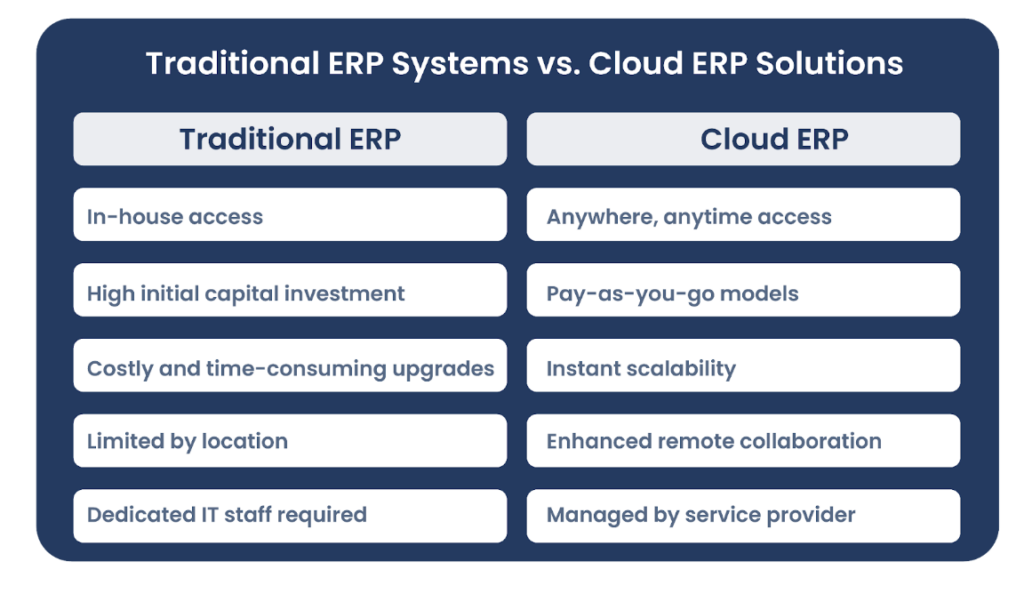
Cloud ERP can reduce infrastructure work, but it does not remove the need for process redesign, testing, data ownership, or user adoption. If cloud migration is part of a wider business change, Attract Group’s digital transformation services can help connect ERP work with data, integrations, and operational change.
Smooth ERP Migration Services
Let our experts guide you through the entire process of migrating from your legacy ERP to a modern solution while ensuring zero downtime.
Vendor questions and next step
Your next step is a short technical and operational assessment, followed by a decision record your finance, operations, and technology leaders can defend. The best SAP Business One alternative is the lowest-risk route to accurate data, controlled processes, and usable reporting.
Ask these questions before selecting a replacement or extension path:
- Which business processes fail today, and which are only inconvenient?
- Which problems come from SAP Business One, and which come from old implementation choices?
- What custom fields, reports, add-ons, and integrations are business-critical?
- Which system should own customers, items, inventory, pricing, financial records, and operational KPIs?
- How much history must move, and what can stay in an archive?
- What proof will the vendor provide with sample migrated data?
- Who will own process design after go-live: finance, operations, IT, or a shared governance group?
- Can the implementation partner support both packaged ERP configuration and custom module development?
- What is the support model for customizations, integrations, reports, and future releases?
- What is the fallback plan if cutover exposes data or process gaps?
For a custom ERP reference, review Attract Group’s Jira-like CRM/ERP on-premises corporate system. The published case includes reports, workload allocation, analytics, Slack, email and chatbot notifications, Excel export, 9 months of development, and a $50,000-$100,000 budget range. The case page also states up to 75% reduction in developer idle time.
If you need an independent view before committing to a migration, Attract Group can help through IT consulting services, ERP software development services, and custom software development services. The deliverable should be a clear recommendation: stay, extend, switch, build custom modules, or use a phased hybrid plan.
Join the Success Stories
Take the first step towards optimizing your operations with the right ERP solution. Our team is ready to understand your requirements.