
The best ERP for food manufacturing is the system that can control recipes, batches, lots, QA, inventory, costing, and supplier traceability without forcing plant teams back into spreadsheets. For many companies, that means buying a food and beverage ERP and extending it where the production model, compliance records, or reporting needs are specific.
What food manufacturing ERP should cover
Food manufacturing ERP should cover the plant-level work that generic ERP often treats as edge cases: recipes, batch production, lot traceability, quality checks, inventory aging, supplier records, labeling, costing, and recall workflows. If those records live in spreadsheets or add-ons, replacement or targeted custom work is usually justified.
A practical food manufacturing ERP software evaluation should start with the operating records you must trust every day. The table below gives a buyer-focused view of the core areas to test before you compare vendor demos.
| Capability area | What the ERP must record | Buyer test |
|---|---|---|
| Recipe and formula management | Versions, approved ingredients, substitutions, yields, allergens, packaging, and process instructions | Can the system show which formula version was used for a finished lot? |
| Batch production | Batch orders, work centers, labor, equipment, rework, waste, and actual consumption | Can operators record variances without breaking costing or traceability? |
| Lot and supplier traceability | Supplier lots, internal lots, finished goods lots, transfers, shipments, and customer records | Can the team trace one step back, one step forward, and across the full lot chain? |
| QA and food safety | Inspections, tests, holds, releases, nonconformance, corrective actions, and COA records | Can QA block inventory and release it with a complete audit trail? |
| Inventory and warehouse | FEFO/FIFO rules, expiration dates, status codes, bin locations, cycle counts, and mobile scans | Can the warehouse prevent expired, held, or wrong-lot inventory from shipping? |
| Procurement and supplier control | Approved suppliers, purchase specs, inbound checks, supplier documents, and price history | Can purchasing see supplier risk before placing an order? |
| Recall management | Affected lots, shipment history, customer contact data, and recall task tracking | Can the company run a mock recall using live ERP data? |
| Costing and finance | Ingredient cost, labor, overhead, yield loss, landed cost, and margin by product | Can finance explain margin changes by formula, batch, and supplier? |
For traceability, confirm whether your product set is affected by the FDA Food Traceability Rule. The FDA says the original compliance date was January 20, 2026; the agency proposed extending it by 30 months to July 20, 2028 and intends to follow congressional direction not to enforce before that date. Treat this as data-model planning, rather than a reason to wait.
Best-fit modules and workflows
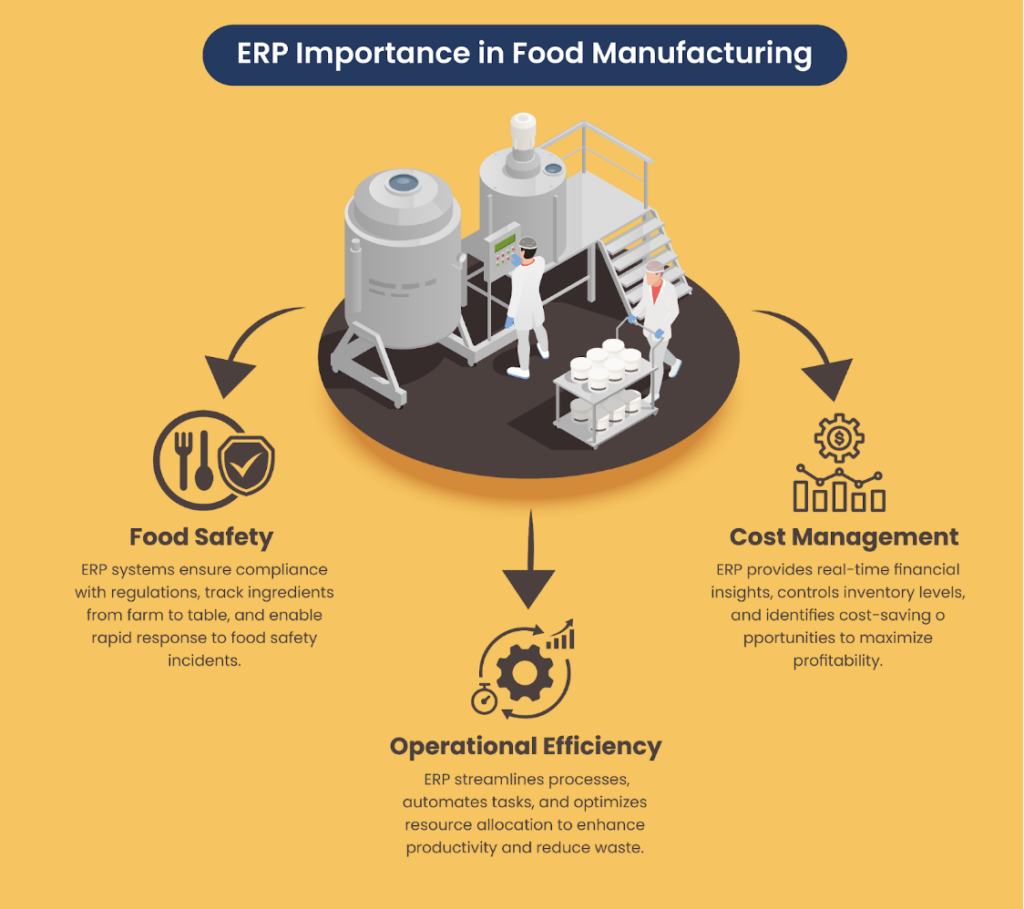
The best food manufacturing ERP modules are the ones that protect product safety, margin, and shipment reliability at the same time. Start with batch, recipe, QA, inventory, purchasing, production scheduling, warehouse, and recall workflows before moving into advanced analytics, mobile plant apps, or IoT data capture.
Use a priority model based on operational risk. A smaller plant may need traceability, QA, and inventory discipline before advanced planning. A multi-site manufacturer may need stronger integration, central data governance, and role-based reporting from the start.
| Priority | Module or workflow | Why it matters | Typical custom extension |
|---|---|---|---|
| P1 | Recipe and formula control | Prevents uncontrolled changes to ingredient lists, yields, allergens, and process steps | Approval workflows, version comparison, restricted recipe visibility |
| P1 | Lot traceability | Supports supplier-to-customer visibility and recall readiness | Lot genealogy views, barcode scans, recall dashboards |
| P1 | QA holds and releases | Stops nonconforming product from moving through production or shipping | Lab system integration, mobile QA checks, automated release rules |
| P1 | Inventory by status and shelf life | Reduces expired, held, or wrong-lot shipments | FEFO picking logic, mobile warehouse tasks, bin-level controls |
| P2 | Production scheduling | Helps balance capacity, ingredients, changeovers, and order commitments | Plant-specific scheduling boards, work-center constraints |
| P2 | Supplier and purchasing control | Gives procurement better visibility into approved sources, specs, and inbound quality | Supplier scorecards, document workflows, inbound inspection triggers |
| P2 | Costing and margin | Connects recipes, yield, waste, labor, and ingredient prices to product margin | Margin analytics by lot, recipe, plant, and customer |
| P3 | IoT, sensors, and mobile apps | Adds live plant data when core transactions are already reliable | Equipment data capture, mobile operator screens, exception alerts |
| P3 | Customer portals and partner integrations | Reduces manual order, invoice, shipment, and document exchange | EDI/API integrations, customer order portals, document automation |
For many food and beverage manufacturers, the right path is configuration first, then selective customization. If your current ERP can support the process with settings, reports, and permissions, avoid custom code. If it cannot support traceability, QA, or plant-specific workflow without manual controls, review ERP configuration and customization before committing to a vendor.
Build vs buy vs customize decision table
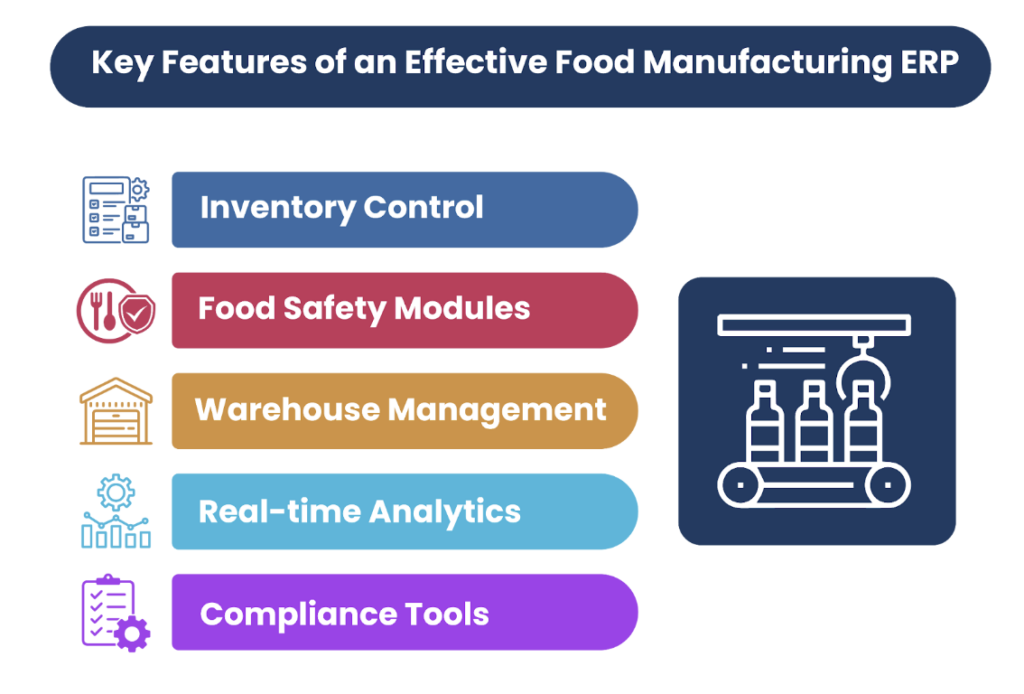
Buy when the standard process is acceptable, customize when differentiation depends on plant workflow, and build only where packaged systems force costly manual work or compliance gaps. Most food manufacturers land in a mixed model: licensed ERP as the backbone, custom modules for recipes, traceability, reporting, or partner integrations.
The decision should be based on process fit, compliance exposure, integration load, and long-term ownership. A food manufacturing ERP replacement can solve old problems, but it can also move fragile spreadsheets into a more expensive system if scope is poorly defined.
| Scenario | Best route | Use when | Watch for |
|---|---|---|---|
| Standard finance, purchasing, and inventory needs | Buy packaged ERP | Your core processes match the vendor’s standard flow | Paying for custom work that standard configuration could handle |
| Industry ERP mostly fits, with some plant differences | Configure packaged ERP | Batch, lot, QA, and inventory logic are supported, but settings need careful design | Over-configuring fields, statuses, and approvals until users reject the workflow |
| Current ERP works for finance but fails on plant execution | Customize or extend | You need recipe, QA, traceability, mobile warehouse, or reporting modules around the current system | Building extensions without clear system-of-record rules |
| Differentiated workflow cannot be supported by packaged ERP | Build a custom module | Your operating model depends on unique scheduling, traceability, costing, or partner workflow | Owning product management, support, security, and future changes |
| Existing ERP blocks growth across multiple functions | Replace ERP | Core finance, inventory, production, and reporting are all unreliable or too expensive to maintain | Underestimating migration, change management, and master data cleanup |
Custom work is justified when it removes repeatable operational risk. It is rarely justified to copy a spreadsheet screen into software without improving the data model, approval flow, or reporting logic. If the workflow matters to compliance, margin, or customer service, define it as a product capability with an owner, release plan, and support model.
Cost and timeline planning ranges
Food manufacturing ERP cost depends less on user count than on process variance, data readiness, integrations, validation, and the number of plants. Treat estimates as ranges by scope type, then price discovery, configuration, migration, testing, training, rollout, and support separately so hidden work doesn't get buried.
Avoid planning from a software license quote alone. ERP cost usually spreads across discovery, vendor licenses, implementation partner work, integrations, data migration, validation, user training, change management, reporting, support, and future improvements.
| Planning band | Scope | Cost pressure | Timeline pressure | Exclusions to confirm |
|---|---|---|---|---|
| Existing ERP optimization | Role permissions, reports, minor workflow fixes, cleanup of master data | Lower | Lower to moderate | New modules, major integrations, plant hardware, broad process redesign |
| Packaged food ERP implementation | Finance, purchasing, inventory, production, QA, warehouse, and standard reporting | Moderate to high | Moderate to high | Vendor licensing, add-ons, data cleansing, validation effort, long-term support |
| ERP plus custom modules | Packaged ERP with custom recipe, traceability, QA, mobile, analytics, or partner workflows | High | High | API limits, support handoff, security review, release management |
| Full replacement or custom ERP | Multi-function replacement across finance, operations, supply chain, plant execution, and reporting | Highest | Highest | Parallel runs, historical data migration, integrations, training, cutover support |
| Multi-site rollout | ERP deployment across plants, warehouses, regions, or brands | Variable by site count and process variation | High if sites operate differently | Localization, label formats, plant-specific workflows, site-level data owners |
For a deeper cost model, use Attract Group’s guide to ERP software development cost planning as a companion resource. The number that matters is total ownership cost, not the first proposal total. Include internal time from operations, QA, finance, IT, and plant supervisors.
To see what custom workflow scope can look like outside food manufacturing, review Attract Group’s on-premises CRM/ERP case study. The published project included reports, workload allocation, analytics, Slack, email and chatbot notifications, Excel export, 9 months of development, and a $50,000-$100,000 budget range. The case page also states up to 75% reduction in developer idle time.
Unlock Operational Excellence
Our team of ERP experts can help you plan and implement a tailored ERP solution that streamlines your food manufacturing processes and ensures compliance.
Implementation roadmap and data risks
A successful ERP rollout starts with master data and controlled pilots, not software screens. Food manufacturers should prove recipes, lots, units of measure, QA dispositions, inventory status, and recall paths with real transactions before broad rollout. Bad data will damage confidence faster than a missing feature.
A practical roadmap should move from operational truth to system adoption:
- Map current workflows. Document how orders, ingredients, batches, QA checks, holds, inventory moves, shipments, and recalls work today.
- Define future-state controls. Decide where the ERP should enforce approvals, block transactions, trigger QA tasks, or require traceability fields.
- Clean master data. Standardize items, suppliers, customers, units of measure, allergens, packaging, locations, and lot rules.
- Model recipes and batches. Build test records for formula versions, substitutions, yield loss, rework, and packaging variations.
- Integrate surrounding systems. Connect finance, WMS, MES, lab systems, scales, label printers, EDI, ecommerce, BI, and customer portals where needed.
- Run a pilot with real transactions. Test one product family, line, plant, or warehouse before scaling.
- Train by role. Operators, QA, warehouse, planners, purchasing, finance, and executives need different workflows and reports.
- Prepare support and release governance. Define who owns master data, workflows, integrations, reports, and future change requests.
Data risks deserve early attention because they decide whether the ERP can support traceability and reporting under pressure.
| Data risk | Why it hurts food operations | Mitigation |
|---|---|---|
| Inconsistent units of measure | Recipe usage, purchasing, production, and costing produce conflicting numbers | Standardize conversion rules and test them against historical transactions |
| Weak lot genealogy | Recall scope becomes slow or unreliable | Define parent-child lot relationships before migration |
| Uncontrolled recipe versions | QA and production cannot prove which formula was used | Require approved versions, effective dates, and change history |
| Duplicate suppliers or items | Purchasing, QA, costing, and traceability records fragment | Clean and merge records before go-live |
| Missing QA status history | Inventory may move without a complete release trail | Migrate active holds and define QA disposition rules |
| Spreadsheet-based costing | Margin reports cannot explain ingredient, yield, or labor changes | Rebuild costing logic from recipes, actual usage, and finance rules |
After go-live, treat support as an operating model rather than a helpdesk queue. Track failed transactions, user workarounds, report defects, slow integrations, and master data exceptions. Schedule controlled releases so improvements do not break validated workflows. For broader modernization, Attract Group’s digital transformation services can help connect ERP planning with operations, data, and customer-facing systems.
Customize Your Food Manufacturing ERP
From workflow optimization to compliance modules, our developers can create a fully customized ERP system that aligns with your unique business needs.
Vendor questions and next step
Your next step is a structured fit-gap review, not a demo marathon. Ask vendors and development partners to prove the workflows that create operational risk: recall, allergen control, substitutions, catch weight, rework, QA holds, supplier traceability, and costing. The strongest choice is the one your plant can run under pressure.
Use these questions before shortlisting food manufacturing ERP software:
- Can the system manage recipe versions, allergens, substitutions, yield, rework, and packaging variants without spreadsheets?
- How does lot genealogy work across purchasing, production, warehouse transfers, shipments, returns, and recalls?
- Can QA place inventory on hold, run tests, record results, release product, and keep an audit trail?
- How are expiration dates, FEFO picking, shelf-life rules, and customer-specific shipping rules enforced?
- What is the system of record for suppliers, item specs, COA documents, and approved vendor lists?
- Which integrations are standard, which require middleware, and which require custom API work?
- How does the reporting model handle batch margin, yield loss, quality trends, recall scope, and production performance?
- Who owns configuration, support, release testing, and future process changes after go-live?
- What happens if one plant needs a workflow that other plants do not use?
- How will the vendor prove the process with sample data before contract signature?
If you are deciding between replacement, extension, or custom modules, Attract Group can help scope the work through ERP software development services and custom software development services. The goal is a decision you can defend commercially: what to buy, what to configure, what to build, what to migrate, and what to leave alone.
Maximize Your ERP Investment
Partner with our experts to ensure your food manufacturing ERP system delivers measurable results and a strong return on investment.