PDF purchase order by email
Someone retypes it into the ERP.
Time, plus typos that turn into wrong shipments

We engineer software around how your operation actually works.
For manufacturers that sell through dealers, distributors and repeat customers. Each account sees its own catalog and prices, reorders in a few clicks and checks order status without calling you. Orders land in your ERP once and correctly.
Today's order intake
Ask a customer service team how orders come in, and the answer is usually "every way possible".
Someone retypes it into the ERP.
Time, plus typos that turn into wrong shipments
Columns don't match the latest price list.
Credits and awkward calls
A rep writes it down and enters it later.
Orders that sit for a day before anyone sees them
Someone checks the ERP and replies.
Hours a week on questions a screen could answer
Lives in a rep's spreadsheet.
The wrong price on the invoice
Each customer has its own PO format, price list and exceptions, which is why generic ecommerce tools struggle here. A portal has to respect those rules, or dealers keep emailing.
Portal types
Most manufacturers need one or two of these. Some start with dealers and add a supplier portal a year later.
Dealers browse their catalog, configure products, see their negotiated prices and order any time of day. Reps see every dealer's activity and step in on big or unusual orders.
Built for repeat buying: quick order by SKU, reorder from history, multiple ship-to addresses, credit limits and approval rules on the buyer's side.
Order status, shipment tracking, invoices, drawings, manuals and warranty claims in one login. Fewer "where's my order" calls for your team.
Suppliers confirm POs, update delivery dates and upload certificates, so purchasing stops chasing them by email.
Features
Generic b2b web portal development covers logins, catalogs and a cart. Manufacturers need more than that, and these are the features that tend to decide whether dealers use the portal.
Each account sees its own products, prices, discounts and payment terms, pulled from the ERP.
Buyers reorder last month's order or upload a spreadsheet of SKUs.
AI reads the PDF, your team checks it before it goes to the ERP.
AI for order intake →Configurable products open the same configurator your sales team uses.
Configurator & CPQ →Order and shipment status come live from the ERP and the carrier.
Large orders, special prices or new accounts go to a person for approval.
Reps see each dealer's orders, quotes and open issues in one place.
CRM for manufacturers →Integration
Prices, stock, customer terms and order status come from the ERP. Orders go back as clean sales orders, with no copy-paste and no duplicates.
Two-way sync between portal, ERP and CRM
Changing ERPs or leaving SAP ECC? The portal stays in place while the system behind it changes.
SAP ECC replacement →Adoption
A portal nobody logs into is an expensive brochure. In dealer portal development, adoption is part of the project from the first week.
Value
61%of B2B buyers prefer to buy without talking to a rep (Gartner)
Buyers tend to stick with the channel that makes reordering easiest. A good portal keeps those customers ordering directly from you.
Hours on order entry and status questions
Credits and returns from entry or pricing errors
How often each account reorders
Share of orders that come through the portal
Proof
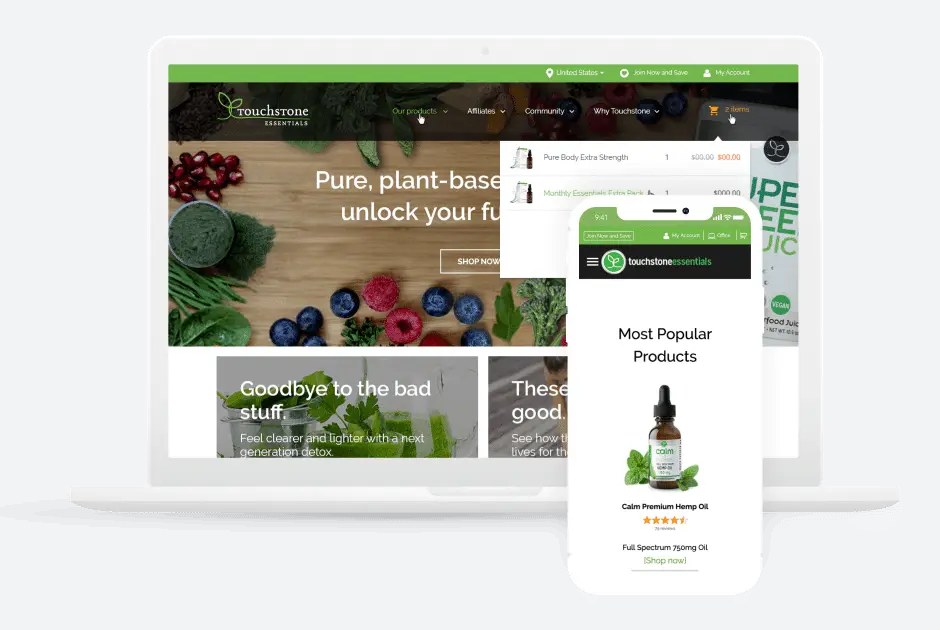 E-commerce · role-based pricing and reorders
Separate accounts and prices for retail buyers, affiliates and members, scheduled reorders, and back-office orders flowing to an external order-management system.
View case study →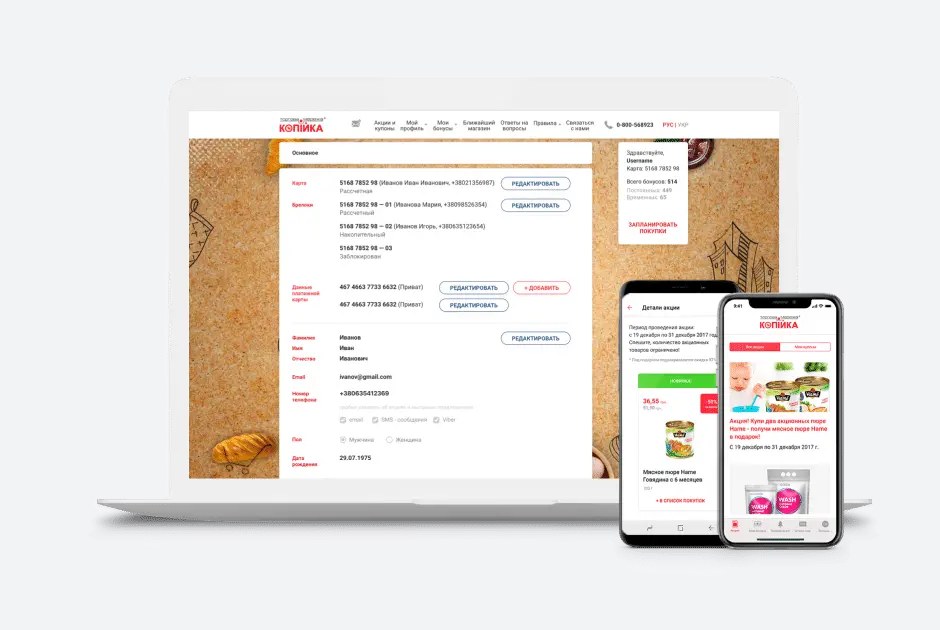 Retail · customer accounts synced with CRM
Web and mobile customer accounts for a supermarket chain, connected to the CRM, so promotions and balances stay current without manual work.
View case study →Process
You see working screens throughout. Scope and budget changes are agreed with you first. The code and documentation are yours.
FAQ
Yes. Prices, discounts, catalogs and payment terms are set per account or account group, and they come from your ERP, so there's one source of truth.
In two clicks. They can also save lists or upload a spreadsheet of part numbers.
It will. Status, shipment and tracking data update from the ERP and your carriers as they change.
They can. AI reads the PO, matches products and prices, and a person on your team confirms it before it reaches the ERP. Over time, many of those customers move to the portal on their own.
No. It takes routine orders and status questions off their desk. Reps keep the relationships and the complex deals, and they get better visibility into each account.
That's usually the best start. A pilot with a handful of high-volume dealers shows results quickly and surfaces problems early.
Ask how they handle customer-specific pricing and order exceptions, which ERPs they've connected to, and who maintains the portal after launch. Check that you'll own the code.
Price and timeline follow the number of portal types, order rules and connected systems. After order mapping you get an estimate, and the scope and cost are agreed before the build starts.
Tell us how orders reach you today. We'll map the channels with you and show which ones a portal could take over first.