The plan changes every hour
A rush order, a late delivery, a machine down. The office Gantt chart still shows this morning's plan, and someone spends half the day patching it.

We engineer software around how your operation actually works.
For shop floors that run on exceptions
Your ERP knows what should be happening on the floor. We build the MES that shows what is happening, for plants of 20 to 1,000 people, connected to the ERP you already run: SAP, Epicor, NetSuite, Odoo or a homegrown system.
Sound familiar?
Most plants we talk to have plenty of data. What they don't have is data anyone trusts.
Paper travelers and spreadsheets kept many plants going for years. They start to fail when one scheduler can no longer hold the whole queue in their head.
A rush order, a late delivery, a machine down. The office Gantt chart still shows this morning's plan, and someone spends half the day patching it.
If logging a job takes five taps and a password, it gets done at the end of the shift from memory. Some days not at all.
Setup, run time and rework land in one bucket. Then the next quote uses numbers you already know are off.
A machine waits for its next blank, and the gap only shows up in the shift report. By then the hour is gone.
Before anyone writes code
You may not need a full MES. This is the table we walk through with clients first.
| Criteria | Spreadsheet or whiteboard | ERP shop-floor module | Custom MES |
|---|---|---|---|
| What it does well | Cheap, flexible, everyone knows how to use it | Shares data with finance, one vendor | Fits your actual routings and exceptions, and you own the code |
| Where it breaks | Several people edit at once, or its author goes on vacation | Desk screens operators avoid, workarounds for exceptions | Scope creep or no owner after launch (we plan for both from day one) |
| How you pay | Almost nothing in licenses, a lot in someone's time | Per-user licenses plus consultant hours for every change | A project fee and optional support, no per-seat licenses |
| Good fit for | One line, low product mix | Standard routings, few exceptions | High mix, make-to-order, frequent rush jobs, an ERP you want to keep |
If a spreadsheet or your ERP module will do the job, we'll tell you on the first call.
Modules
Our shop floor software development starts with the module that hurts most. Clients usually begin with one or two and add the rest once those pay off.
Drag a job to another machine and see what moves with it. When a rush order lands, each station gets its new queue right away.
Operators start and stop jobs with a badge scan. Setup, run time and rework are logged separately, so job costing matches the floor.
Drawing, current revision and steps on a tablet at the station. When engineering changes a revision, the old one disappears from the floor.
For every part: lot, serial number, material batch and operator. Ready the day a customer or auditor asks.
Every stop gets a reason code, from the machine signal or an operator tap. See where capacity goes each shift, not at month end.
A big floor screen shows what's running and what's late. Managers get a short daily summary on their phone.
Operator-first design
Office software assumes a desk, a mouse and a quiet minute. The floor has none of that.
We test the first screens with your operators, on your floor, before building the rest.
Integration
We connect your existing systems and build the missing pieces. For most plants, the missing piece sits between the ERP and the machines.
Finance keeps working in the ERP, operators work in the MES, and each number gets entered once. We connect through the ERP's API where one exists; older systems get a database link or a scheduled file exchange.
Proof
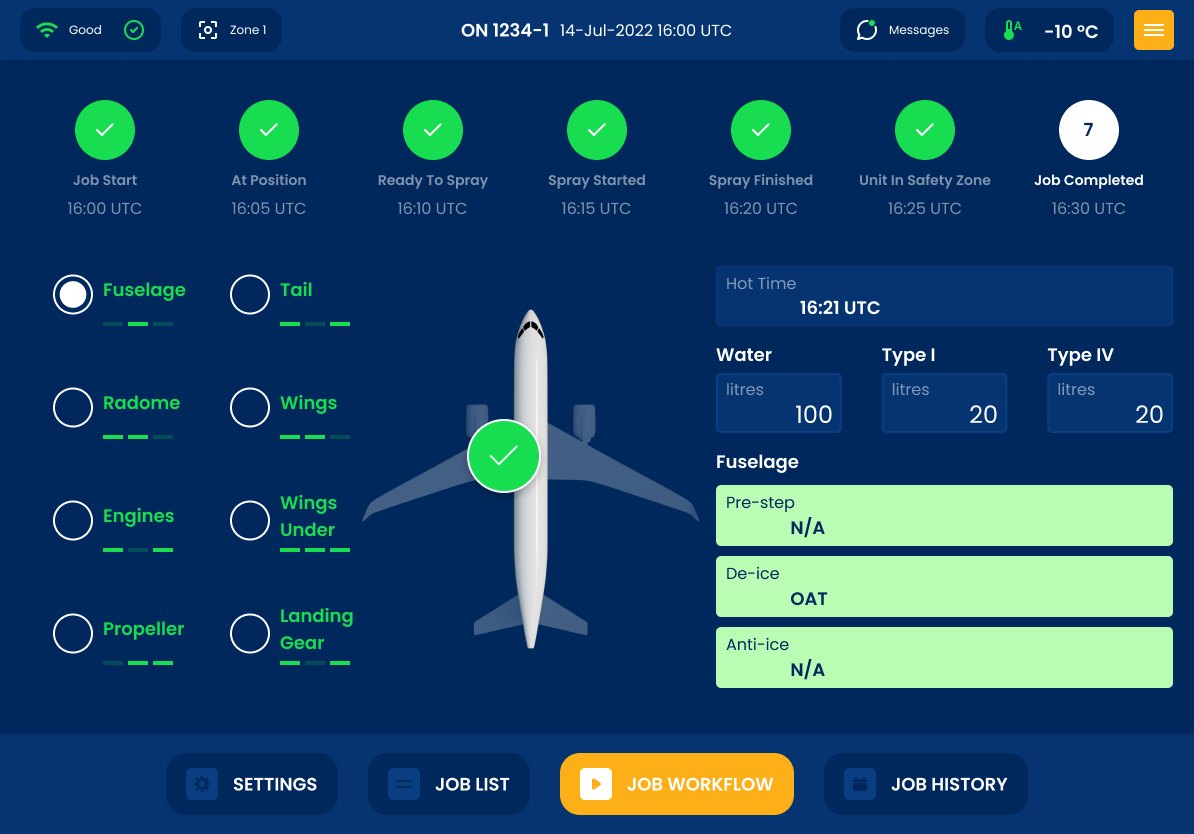 Aviation ground support · tablet job workflow, offline
A tablet app for ramp crews: create a job, run it step by step, keep working when the signal drops, and keep a traceable record of what was done.
View case study →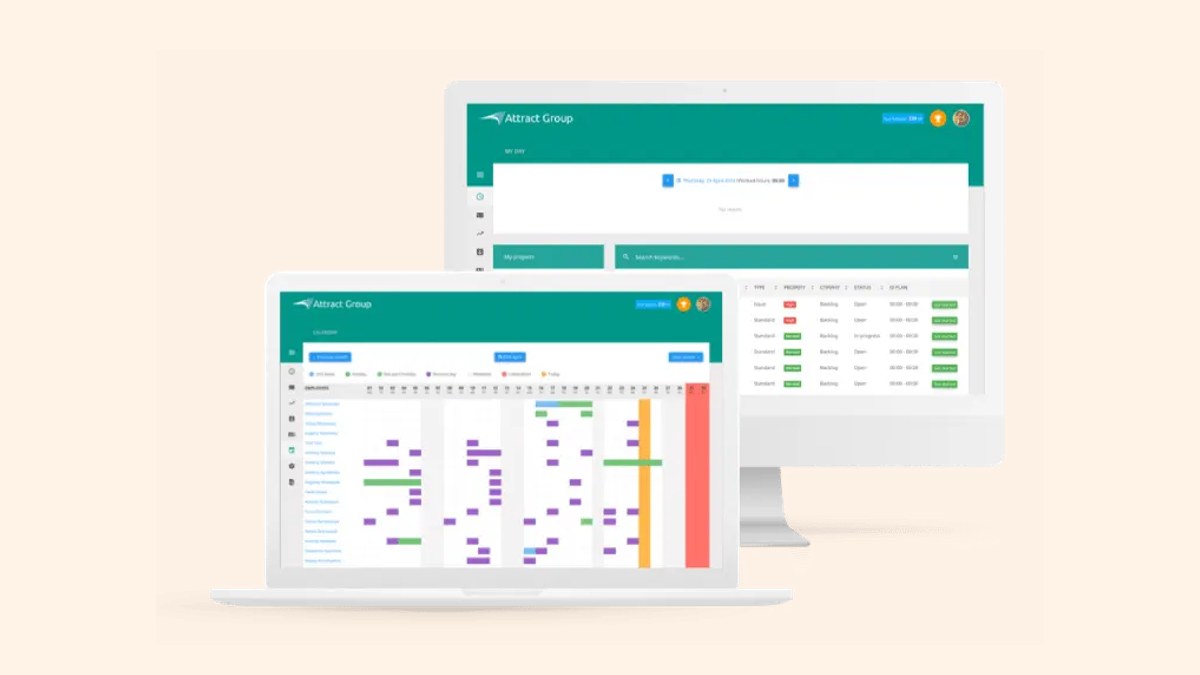 CRM/ERP · up to 75% less idle time
On-premises system with task-level time tracking and workload planning that compares planned and actual hours every month.
View case study →Rollout
FAQ
If your routings are standard and operators already use the ERP screens, extending the ERP is usually cheaper. If the floor runs on paper because the ERP is too slow to use there, a light MES on top tends to fix it faster than more ERP customization. After the floor walk-through we'll tell you which one makes sense. (Custom ERP)
Yes. A badge scan plus a job barcode starts or stops a job. A typical update is one or two scans.
Yes. Each one is its own status, so job costs and your next quotes are based on what happened on the floor. (quoting & CPQ)
Yes. The ERP stays the source of work orders. The MES shows the traveler on a screen and sends completions back.
Often, yes: through the controller, a simple sensor, or a small gateway. When a connection isn't worth the cost, operators log machine status from a tablet instead. (Industrial IoT)
The scheduler moves the job, and every affected station sees its new queue straight away.
It depends on the modules and on how many systems we connect. For a one-line pilot we agree the scope and cost with you up front, and you get the estimate after the floor walk-through.
A product makes sense when your process looks like the vendor's demo. Plants with lots of custom orders and exceptions usually spend more bending a product to fit than building the parts they need. With custom development there are no per-seat fees, and you own the code.
You do, including the source code, the data and the documentation.
Book a walk-through. We'll map one line with you and show, in plain numbers, what an MES pilot would change.