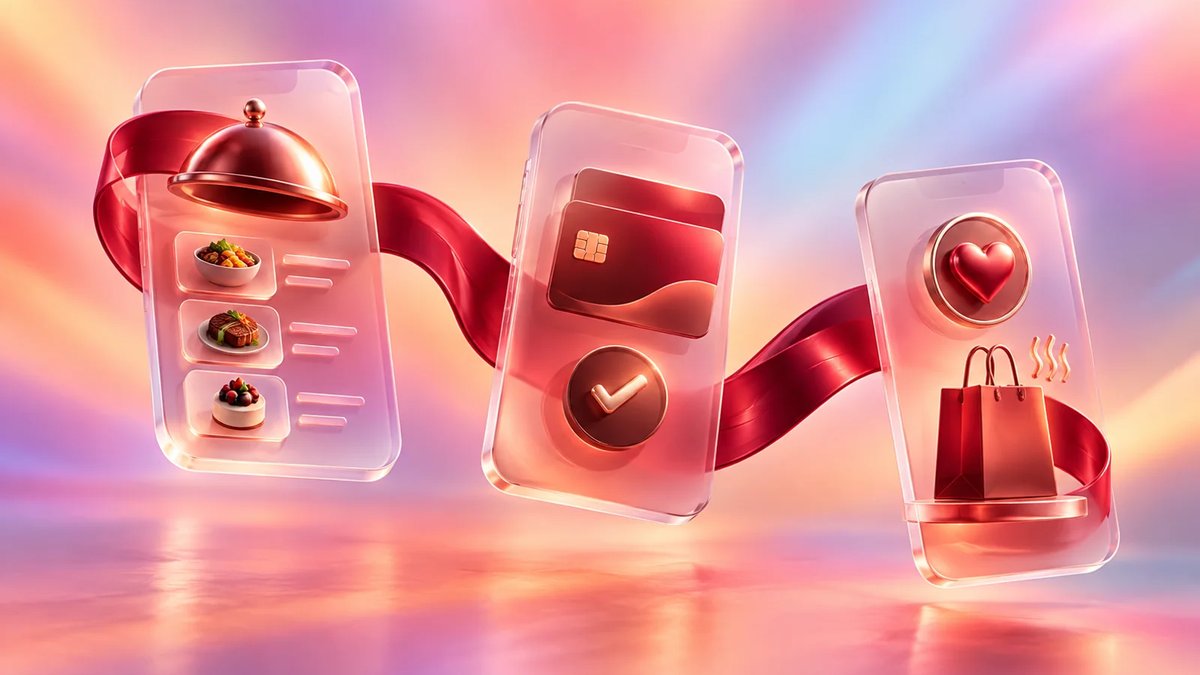
Your first release should focus on restaurant mobile app features that affect order volume, guest repeat use, and staff workload: menu, ordering, payments, account and reorder, loyalty, pickup or delivery status, notifications, and POS or kitchen routing. Add reservations, reviews, multilingual support, rich personalization, and social features once the operational flow is stable.
Restaurant Mobile App Features to Prioritize
Start with features that turn customer intent into a completed order or booking with minimal staff intervention. For most restaurants, that means a clean menu, ordering, secure payment, guest profile, reorder, loyalty, pickup or delivery updates, push notifications, and POS or kitchen display integration before broad marketing add-ons.
Off-premises demand is a practical reason to prioritize mobile ordering. The National Restaurant Association reports that nearly 75% of restaurant traffic is off-premises, with 47% of adults picking up takeout weekly, 42% using drive-thru weekly, and 37% ordering delivery weekly: https://restaurant.org/research-and-media/research/research-reports/off-premises-restaurant-trends-2025/. A public report summary also notes that 35% of off-premises customers prefer ordering through a mobile app, rising to 47% for millennials and 41% for Gen Z: https://www.ncrla.org/wp-content/uploads/2025/08/Restaurant-OffPremises-Report.pdf.
For a single-location restaurant, the app can be simple if it makes ordering faster than calling. For a franchise, the same feature can become more complex because pricing, availability, tax, promotions, and delivery rules may differ by location.
| Priority | Feature set | Buyer rationale | Integration notes |
|---|---|---|---|
| MVP | Digital menu with modifiers, images, allergens, item availability, location-specific pricing | Customers need to understand what they can order before any other feature matters | Connect to POS or menu admin; define who updates item status during service |
| MVP | Ordering for pickup and delivery | Core revenue feature for quick-service, casual dining, ghost kitchens, and chains | Needs cart, prep time rules, taxes, fees, POS order injection, kitchen routing |
| MVP | Secure payments, tips, refunds, receipts | Reduces cash handling and phone orders; supports prepaid pickup | Connect to Stripe, Adyen, Square, Toast, Clover, or other payment/POS stack |
| MVP | Guest account, address book, favorite items, reorder | Increases repeat use and lowers checkout friction | Requires customer identity, consent, order history storage, data retention rules |
| MVP | Push, SMS, or email order status notifications | Cuts "Where is my order?" calls and supports pickup timing | Needs event triggers from POS, delivery module, or kitchen status changes |
| MVP | Admin console for menu, hours, promotions, and orders | Operators need control without developer help | Role permissions matter for managers, franchise owners, and support staff |
| Phase 2 | Loyalty, rewards, coupons, birthday offers, referral codes | Best after order history is reliable and staff can explain redemption rules | Must sync with POS discounts and prevent abuse across channels |
| Phase 2 | Reservations, waitlist, table status | Strong fit for full-service restaurants and high-demand locations | Needs floor rules, party size limits, deposits, cancellation policies, host access |
| Phase 2 | Delivery tracking and driver dispatch | Useful when you own fulfillment rather than rely fully on aggregators | Needs map, driver app or driver web panel, ETA logic, proof of delivery |
| Phase 2 | Ratings, reviews, feedback, support tickets | Helps catch service issues and improve operations | Route private complaints to managers before asking for public reviews |
| Later | AI recommendations, advanced personalization, social sharing | Works only after enough clean order and preference data exists | Requires data rules, segmentation, consent, testing, and content governance |
| Later | Multilingual support, accessibility improvements, regional content | Important for multi-market brands and tourist-heavy areas | Plan translation workflow, right-to-left support if needed, and menu localization |
The table is not a universal roadmap. A reservation-led fine dining concept may put booking ahead of delivery. A pizza chain may place delivery zones, toppings, and reorder ahead of everything else. A food truck marketplace may need scheduling and vendor availability before a traditional cart.
A useful reference is Attract Group's work on the Tomato restaurant discovery platform. The product combined web and mobile experiences with search, booking, geolocation, reviews, manager portal, offers, online payments, social login, REST API, push notifications, and Stripe. The platform grew across 50 cities with 7,000+ restaurants, 73,604 photos, 17,643 reviews, 3,000+ registered users, and peak daily traffic above 10,758 hits. That type of product depends on the data loop between guests, restaurants, managers, and payments rather than a stand-alone mobile interface.
How to Choose MVP Features for Your Restaurant App
Choose MVP scope by matching app features to one primary business outcome: more direct orders, fewer phone calls, better repeat visits, faster pickup, or controlled reservations. Avoid starting with every channel at once. The right MVP proves that guests will use the app and staff can operate it during rush periods.
Start with these decision questions:
- What order type drives the business? Pickup, delivery, dine-in, catering, reservations, and events all need different logic. Delivery needs zones, fees, driver status, and ETA. Reservations need party size, table rules, deposits, and cancellations. Catering needs lead time, large-order approval, invoices, and manager review.
- Which channel creates the most margin leakage? If third-party delivery fees are a major problem, direct ordering and loyalty may come first. If no-shows hurt dinner service, deposits, waitlist, and reservation reminders are better MVP candidates.
- What can your staff realistically manage? An app will fail if managers cannot update sold-out items, holiday hours, discounts, and pickup timing. Build admin screens as part of the product, not as an afterthought.
- Which systems must be integrated before launch? If orders must appear in the POS and kitchen display system, integration is part of MVP. Manual tablet workflows may work for a pilot, but they can break when order volume grows.
- What guest behavior do you want to repeat? If the answer is "order the same lunch twice a week," reorder and saved payment are important. If the answer is "book a table for Friday dinner," reservation reminders and calendar sync matter more.
For customer experience, invest early in product and checkout design. Menu categories, modifier groups, item photos, allergen filters, delivery address entry, tip selection, and payment failure states need careful UX work. A restaurant app often has fewer screens than a retail app, but each screen affects revenue. Attract Group's UI/UX design team usually treats ordering and checkout as conversion flows, not static screens.
Common MVP mistakes include:
- Launching loyalty before POS discount rules are ready
- Offering delivery without clear kitchen capacity controls
- Adding social sharing while order tracking is unreliable
- Using one global menu when each location has different inventory
- Skipping guest checkout and forcing account creation too early
- Ignoring refund, cancellation, and partial out-of-stock scenarios
- Building a beautiful menu with no practical back-office update flow
A lean MVP can still feel complete to the guest. The scope is lean because it avoids optional features, not because it leaves gaps in the order path.
Operational Features That Make the App Work Behind the Counter
The customer app is only one part of the system. Restaurant mobile app features create business results when they connect to menu management, POS, kitchen routing, delivery operations, support, payments, and reporting. Without these operational features, staff often retype orders, miss updates, and treat the app as another disconnected tablet.
Ordering, POS, and kitchen routing
The ordering flow should answer four operational questions before development starts:
- Where does the order land?
- Who confirms it?
- How is prep time calculated?
- What happens when an item becomes unavailable?
For a small restaurant, orders may appear in a web dashboard, then staff confirms them manually. This can be acceptable for a pilot if order volume is low. For higher volume, POS integration is usually necessary. The app should pass order items, modifiers, discounts, taxes, tips, customer notes, delivery method, payment status, and requested time to the POS or kitchen display system.
Modifier logic needs special attention. Pizza toppings, combo meals, spice level, substitutions, out-of-stock add-ons, and allergen notes can create edge cases. If the POS treats a modifier differently than the app, kitchen tickets become confusing and reports become unreliable.
If you plan a commerce-heavy flow with catalog, cart, checkout, refunds, and promotion rules, restaurant ordering has many similarities with digital commerce. Attract Group's e-commerce software work is relevant when the restaurant app needs product catalog logic, payment flows, order status, and customer accounts.
Delivery, pickup, and tracking
Food delivery app features vary based on who fulfills the order.
If you use third-party delivery, the app may only need ordering, payment, pickup status, and a handoff integration. If you manage your own drivers, the scope expands to dispatch, driver availability, route view, ETA, proof of delivery, failed delivery handling, tips, and driver payouts.
Pickup is simpler, but it still needs rules. Customers need a reliable ready time, pickup instructions, curbside check-in if offered, and order status. Staff need a way to delay orders when the kitchen is behind. Without delay controls, the app can create guest frustration during peak hours.
For drive-thru or curbside, consider:
- Vehicle details and parking spot input
- Arrival notification
- Staff order handoff screen
- Status changes such as received, preparing, ready, delivered
- Time-based escalation when an order sits too long
Loyalty and personalization
Restaurant loyalty app features work best when they are easy to explain at the counter. Points, visits, tiers, stamps, cashback, stored value, and coupon codes all have different cost and fraud profiles.
For an MVP, keep loyalty simple. Examples include:
- Earn one point per dollar
- Get a free item after a set number of visits
- Birthday coupon
- First direct order discount
- Win-back offer after 30 or 60 days without ordering
Make sure the POS can recognize the reward. If a customer earns a coupon in the app but staff cannot redeem it in-store, support requests will rise. For franchises, define who funds the discount: corporate, location owner, or a shared marketing budget.
Personalization can wait until you have enough clean data. Useful segments include frequent lunch buyers, lapsed customers, vegetarian customers, high average order value guests, families, and catering buyers. Start with rules-based offers before building complex recommendation logic.
Profiles, privacy, and customer service
Guest profiles should store only what the business uses: name, phone, email, saved addresses, favorite location, order history, preferences, loyalty status, and communication consent. Saved payment methods should rely on tokenization through the payment provider rather than raw card storage.
Support tools are often missed in early planning. Managers need to search orders, resend receipts, issue refunds, cancel orders, adjust loyalty balances, and respond to complaints. If the support flow is not defined, every exception goes to a developer or an operations lead.
Analytics and dashboards
Analytics should answer operational questions, not produce vanity reports. Useful dashboards include:
- Orders by channel, location, daypart, and item
- Average order value and repeat order rate
- Menu item performance and modifier trends
- Coupon use and loyalty liability
- Refund reasons and failed payment rate
- Prep time accuracy
- Delivery delays and cancellation reasons
For multi-location brands, compare locations carefully. A downtown lunch shop and a suburban family restaurant may have different order timing, basket size, and delivery patterns. Dashboards should help managers act, not create arguments over mismatched numbers.
Attract Group's Curbside Kitchen marketplace is a useful example of operational depth. The platform connected food truck owners with property managers and companies, with scheduling, event management, messaging, payments, invoicing, statistics, disputes, ratings, and admin tools. Integrations included Google Calendar, Apple Calendar, Stripe, Twilio, Mailgun, Active Campaign, and Zoho. The project ran 11 months with a $50,000-$100,000 budget range and supported 2,000+ completed events, 400+ planned events, 200 registered trucks, about 100 properties, and under 2,500 active users. The lesson for restaurant app planning: scheduling, messaging, payment exceptions, and admin workflows can be as important as the customer-facing app.
Cost and Timeline for Restaurant App Development
Restaurant app development cost depends on order complexity, number of platforms, integrations, admin tools, design depth, and QA coverage. A basic ordering MVP can be planned in months, while a multi-location ordering, delivery, loyalty, and analytics system can take much longer. Treat ranges below as planning guidance, not fixed quotes.
| App type | Typical scope | Rough timeline | Planning budget |
|---|---|---|---|
| Simple branded app | Menu, locations, basic offers, contact, push notifications, links to ordering provider | 2-4 months | $25,000-$60,000 |
| Ordering MVP | iOS and Android or cross-platform app, menu, cart, payments, pickup, order status, admin panel | 3-6 months | $60,000-$140,000 |
| Ordering plus loyalty | Ordering MVP, accounts, rewards, coupons, saved addresses, segmentation, POS discount rules | 5-8 months | $120,000-$250,000 |
| Multi-location restaurant app | Location-based menus, pricing, tax, hours, order routing, reporting, role permissions | 6-10 months | $180,000-$400,000 |
| Delivery platform | Customer app, driver app or driver panel, dispatch, tracking, payments, admin, support tools | 8-12+ months | $250,000-$600,000+ |
| Marketplace model | Multiple vendors, scheduling, commissions, payouts, disputes, ratings, messaging, advanced admin | 9-14+ months | $300,000-$800,000+ |
Main cost drivers include:
- Native iOS and Android versus cross-platform development
- Number and quality of POS integrations
- Delivery tracking and dispatch logic
- Loyalty program complexity
- Franchise permissions and location hierarchy
- Payment flows, refunds, deposits, and stored value
- Admin panel depth
- Reporting and data warehouse needs
- Accessibility, localization, and compliance requirements
- QA across devices, payment states, and order edge cases
A restaurant app also has hidden operational costs. Budget for menu data cleanup, item photography, staff training, support scripts, launch promotions, app store assets, legal review for privacy terms, and ongoing maintenance. Payment providers, SMS, email, maps, and push notification services may add recurring fees.
For many buyers, the best budgeting exercise is to split the roadmap into three releases:
- Release 1: prove ordering or booking behavior
- Release 2: improve repeat use with loyalty and personalization
- Release 3: automate operations with deeper integrations and analytics
If the app affects core revenue, plan maintenance from day one. Operating system updates, payment changes, POS API changes, security patches, menu changes, and app store requirements do not stop after launch.
Build vs. Buy: When Custom Restaurant App Development Makes Sense
Use an off-the-shelf restaurant app when your workflows match the provider's standard ordering, loyalty, and POS setup. Choose custom development when you need differentiated guest experience, complex multi-location rules, marketplace logic, owned delivery, unusual loyalty rules, or deep integrations that packaged tools cannot support without workarounds.
Buy or subscribe when:
- You need to launch quickly
- Your menu and order flow are standard
- You can accept the provider's design and checkout limits
- Your POS already has a strong ordering module
- You do not need owned customer experience beyond basic branding
- You prefer operating expense over product investment
Build custom when:
- Direct ordering is central to margin strategy
- You want full control over UX, data, loyalty, and offers
- You have multiple concepts, locations, regions, or franchise owners
- You need special ordering flows such as catering, meal plans, subscriptions, events, or group orders
- You need owned delivery or marketplace operations
- You need reporting across systems that do not speak well to each other
Hybrid approaches are common. A restaurant might use an existing POS and payment gateway, then build a custom guest app, loyalty layer, and admin portal on top. Another brand may start with a third-party delivery integration, then add owned delivery later in dense markets.
Custom development requires stronger product ownership. Someone on your team must make decisions about menu data, service rules, pricing, promotions, support policies, and launch sequencing. A vendor can guide implementation, but the restaurant has to define how the business should run.
If the roadmap goes beyond a marketing app, look for a partner with both mobile app development and custom software development experience. Restaurant apps often become operational systems with mobile front ends, web admin panels, integrations, and reporting layers.
Vendor Questions Before You Start
Before choosing a vendor, test whether they understand restaurant operations as well as app screens. Ask about POS integration, menu modifiers, refund flows, loyalty redemption, order throttling, location rules, data ownership, support tools, and post-launch maintenance. The answers will reveal whether the estimate covers the real system.
Use these questions in discovery calls:
- How will the app receive and update menu data? Ask whether updates come from POS, admin panel, spreadsheet import, API, or manual entry. Clarify who controls sold-out items during service.
- How will orders reach the kitchen? A vendor should explain POS injection, kitchen display routing, printer options, manual confirmation, and fallback behavior if an integration fails.
- How will payment exceptions work? Discuss voids, refunds, partial refunds, failed payments, tips, chargebacks, deposits, and receipts.
- How will the app handle peak periods? Look for order throttling, prep time adjustment, pausing delivery, item availability controls, and manager alerts.
- How will loyalty work across app and in-store purchases? Ask how guests earn and redeem rewards in both places. If the POS cannot support the rule, the loyalty design needs to change.
- What data will we own? Confirm access to customer profiles, order history, loyalty data, analytics exports, and consent records.
- What admin roles are included? A single-location manager, franchise owner, corporate marketing user, support agent, and finance user should not have the same permissions.
- What happens after launch? Ask about monitoring, bug fixes, app store updates, OS updates, payment changes, integration maintenance, and feature iteration.
- How will success be measured? Agree on metrics before development: direct order share, repeat order rate, average order value, app checkout conversion, call reduction, loyalty participation, pickup wait time, and refund rate.
- What is excluded from the estimate? Exclusions often include copywriting, menu cleanup, item photos, SMS fees, payment fees, POS vendor fees, app store accounts, legal review, and marketing campaigns.
A good estimate should separate discovery, UX, app development, backend, admin panel, integrations, QA, deployment, and support. If everything is bundled into one vague number, compare proposals carefully. Restaurant software has many edge cases, and the cheapest quote may simply omit them.
Enhance Your Restaurant with a Custom Mobile App
Let our experts guide you in creating a thriving restaurant mobile app.
FAQ
The most important restaurant app questions are about scope, cost, and operational risk. Owners want to know which features belong in the first release, how much integration work is needed, and whether loyalty or delivery should come first. The answers depend on restaurant type, order volume, and existing systems.
What are the most important restaurant mobile app features?
For most restaurants, the first release should include menu, ordering, payments, account or guest checkout, reorder, pickup or delivery status, notifications, and admin tools. POS or kitchen routing should be included if manual order handling would slow staff or create errors during busy periods.
What restaurant ordering app features should be built first?
Build menu browsing, modifiers, cart, taxes, fees, discounts, payment, order confirmation, order status, and receipts first. Then add saved addresses, favorites, scheduled orders, catering, group ordering, and advanced promotions. If the restaurant has multiple locations, location-specific menus and pricing should be part of MVP.
Which restaurant loyalty app features are worth building?
Simple loyalty rules usually work best at launch: points per dollar, visit-based rewards, birthday offers, first-order discounts, or win-back coupons. Advanced tiers, referrals, subscriptions, and personalization should wait until order history, POS redemption, and fraud controls are working.
How much does restaurant app development cost?
A simple branded app may cost $25,000-$60,000. A practical ordering MVP often starts around $60,000-$140,000. Multi-location ordering, loyalty, delivery, analytics, and deep POS integrations can move into $180,000-$600,000+ planning ranges depending on scope and vendor rates.
Should a restaurant build delivery tracking into its own app?
Build delivery tracking if you manage your own drivers or want to control the full delivery experience. If third-party fleets handle delivery, start with clear order status and handoff updates. Owned tracking needs dispatch tools, driver status, ETA logic, map services, and support processes.
Do restaurants need native iOS and Android apps?
Not always. Native apps make sense when performance, device features, and long-term product depth matter. Cross-platform apps can reduce initial build time for many ordering and loyalty products. Some restaurants can start with a mobile web ordering flow before investing in app stores.
When should reservations be part of MVP?
Reservations belong in MVP for full-service restaurants where table bookings drive revenue or reduce phone calls. For quick-service, delivery-first, or pickup-heavy concepts, reservations can wait. If you do build reservations, include cancellation rules, reminders, party size limits, and manager controls.
What should product teams prepare before development starts?
Prepare menu structure, modifier rules, location data, tax and fee rules, payment provider choice, POS details, loyalty concept, delivery rules, refund policy, support process, and launch metrics. Clear operational decisions reduce rework and make estimates more reliable.